Changes and approval
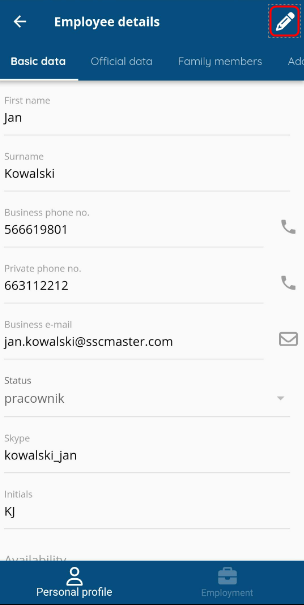
To make changes to an existing document, press the pencil button and make the necessary changes.
Save the changes with the floppy disk button.

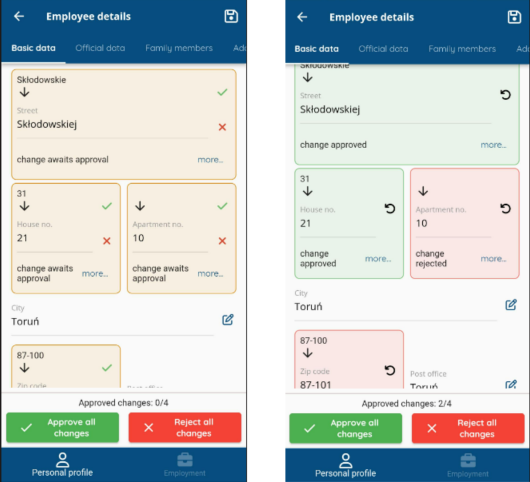
Depending on the configuration, the data may need to be approved by the HR department. When you enable document editing, two buttons will appear at the bottom – to accept and reject changes. A tick and cross button appears next to fields that are pending approval. Press the tick to approve a field change or the “x” to reject. Fields with an approved change will begin to display in green and a rejected one in red. If you want to withdraw the acceptance or rejection press the rolled up arrow button. To approve all changes (or reject), use the buttons at the bottom of the document. After approval, save the document.
Creating a document
To create a new document, click the “+” icon and select CREATE EMPLOYEE PROFILE.

Fill in the data in the tabs discussed in an earlier article and save with the floppy disk button.

