When the application is launched, it always opens the default application (marked with a yellow star) that the user has access to. It may include elements such as a schedule, windows: Todos, Absences, Documents, Requests, Approvals, and a window for overtime and leave limits.
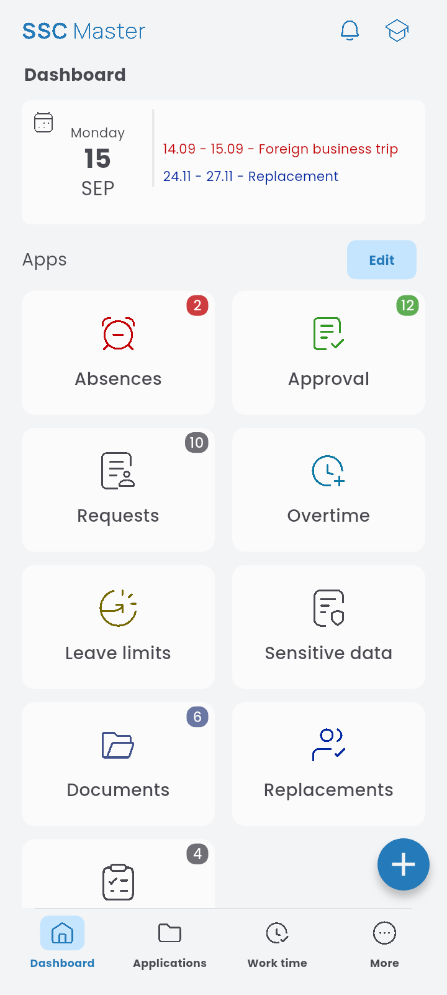
You can edit the layout of the dashboard: set the main widget, adjust the size of the windows, and manage their visibility:

Apps
This section contains a menu of available applications. Each application also has its own mini-dashboard.

More
A menu with additional information about the account, employment documents, application settings, terms of service, FAQ, the About Us section, and a logout button.