Related (employee) documents are all documents linked to the employee’s work account, such as medical examinations, authorizations, certificates, training, occupational health and safety checks, and others.
To create a document, open the ORG application, click the “+” button, and select RELATED DOCUMENT.

Select the person to whom the document will pertain.

Select the type of document.

Basic data
The tab contains the first and last name of the employee to whom the document being created pertains.

If the employee has more than one employment and you want the document to be linked to only one of them, click the RELATED TO THE EMPLOYMENT DOCUMENT and select the appropriate employment from the displayed list. Otherwise, the document will be assigned to all employments.
Details
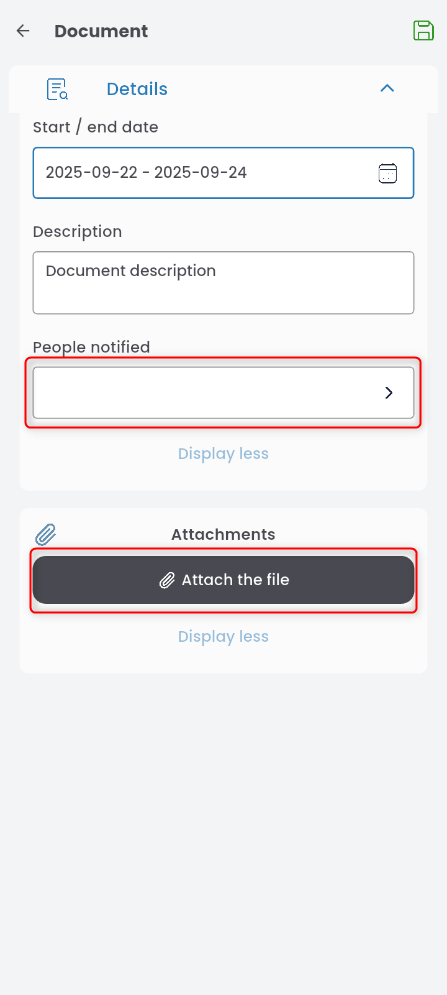
In the detailed information section, you can fill in the fields: DOCUMENT NUMBER and DESCRIPTION. To define the document’s validity period, click the START / END DATE field and select the start and end dates on the calendar.

In the request, you can also add an informed person (click the field, select the person from the list, and confirm) and an attachment (click the + ATTACH THE FILE button, select the appropriate file in the displayed window, and confirm).
Publish the completed document by clicking the airplane icon, or save it for later using the floppy disk icon.