To create a contractor record, open the Contractors application, click the “+” button, and select CREATE CUSTOMER from the list.

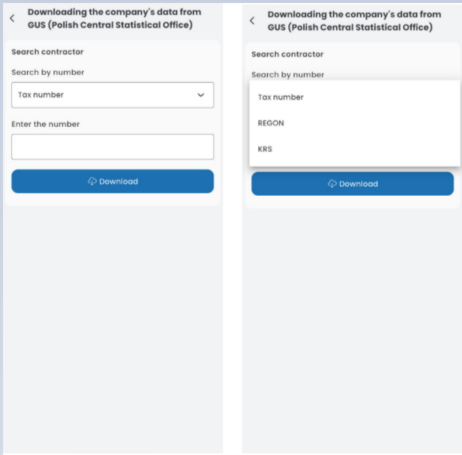
Search for the contractor in the database using their TAX NUMBER, REGON, or KRS number. After entering the number, click DOWNLOAD.
A contractor document will open with some fields pre-filled based on data from the GUS database.
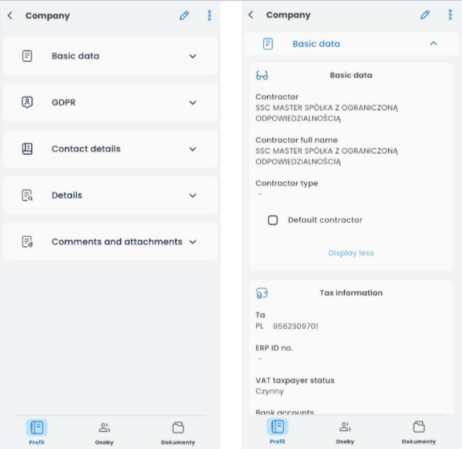
In the BASIC DATA tab, you can edit the contractor’s name, select their type, and mark them as the default contractor.

In the basic data section, you can also add an ERP number, verify the VAT taxpayer status, and add one or more bank accounts.
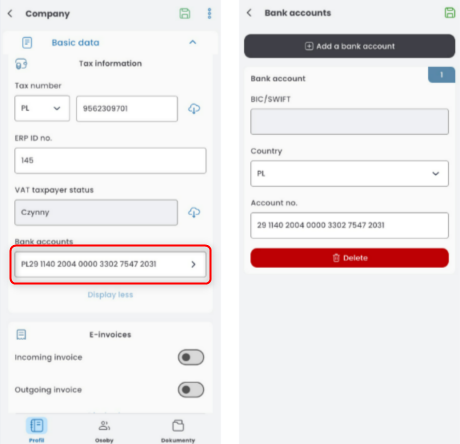
To add an email address for e-invoices, toggle the switch, enter the email address, and confirm it by clicking the “+” button.
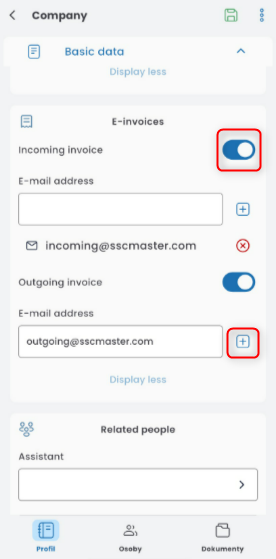
To assign an account manager or notify specific people, click the appropriate field and select the individuals from the list.

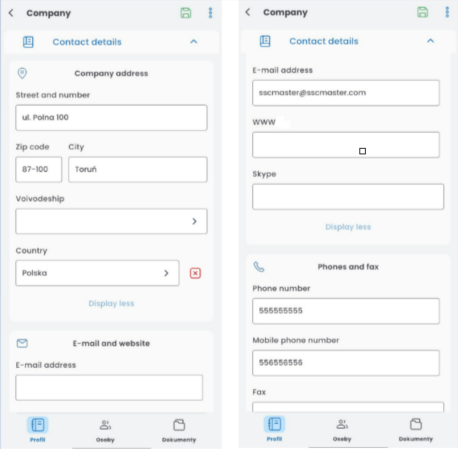
In the CONTACT DETAILS tab, some data will be retrieved from the GUS database. You can modify it. Enter the email address and phone numbers.
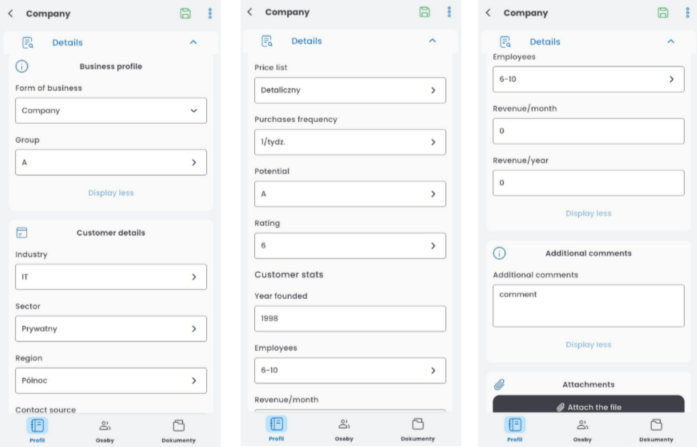
To assign a group, industry, sector, region, source of contact, or number of employees, click the field and choose the appropriate option from the list. You can also enter the year of establishment, monthly and annual revenue, and add additional notes.
Save ready customer document by clicking on the floppy icon.